
with keyword. Maybe you used it when setting up an animation (with SingleTickerProviderStateMixin) without giving it much thought.
But what exactly is that keyword doing?Behind that simple with lies one of Dart’s most powerful features: Mixins. When used correctly, mixins can drastically reduce boilerplate, keep your code DRY (Don’t Repeat Yourself), and solve the limitations of single inheritance.
Let’s dive into what mixins are, why they are so powerful, and how you can use them to write cleaner, modular Flutter apps.
---
Table of Contents
1. The Problem: The Limits of Inheritance 2. The Solution: Enter Mixins 3. Real-World Flutter Use Cases 4. Advanced Mixin Superpowers 5. The 'on' Keyword: Restricting Your Mixins 6. Putting it All Together: extends vs. with 7. Things to Keep in Mind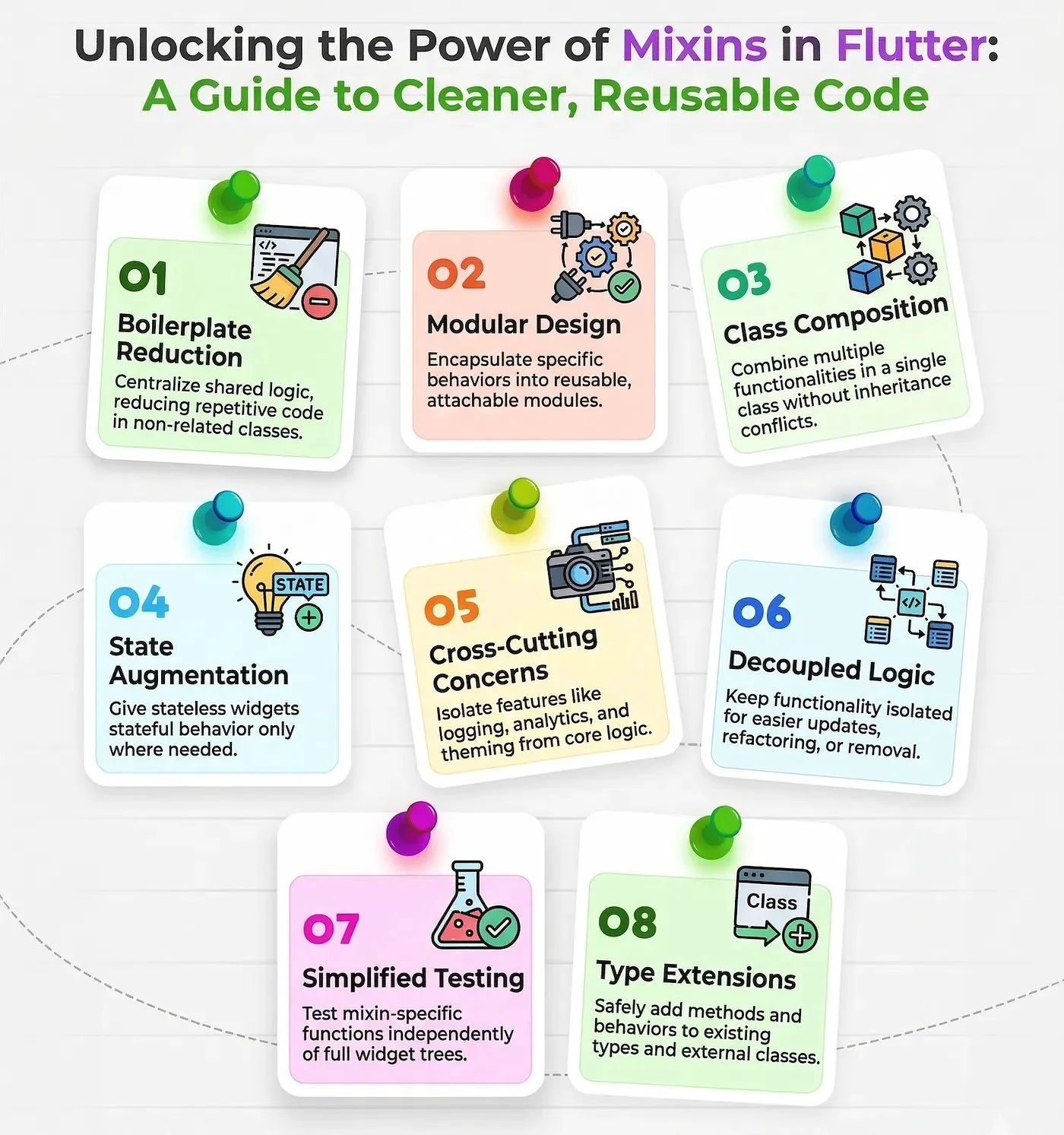
---
The Problem: The Limits of Inheritance
Dart, like Java and many other object-oriented languages, only supports single inheritance. This means a class can only extend one parent class.
Imagine you are building a game in Flutter. You have an Animal base class, and you create Dog and Bird subclasses:
Dog can Walk.Bird can Fly.Now, you want to add a Duck. A duck can both walk and fly. Because you can extend only one class, you can’t inherit from both a walking class and a flying class. You are left with two bad options:
1. Duplicate the walking/flying logic.
2. Push all the logic up into the base Animal class (making your Dog suddenly capable of flying—not ideal!).
---
The Solution: Enter Mixins
A mixin is a way of reusing a class’s code in multiple class hierarchies. It allows you to "mix in" behaviors to a class without extending it. Think of them as plug-and-play ability modules.
Here is how to solve the Duck problem using mixins:
mixin Walkable {
  void walk() => print("I am walking!");
}

mixin Flyable {
  void fly() => print("I am flying!");
}

class Animal {}

// Dog only needs Walkable
class Dog extends Animal with Walkable {}

// Duck gets both abilities without code duplication
class Duck extends Animal with Walkable, Flyable {}
By using the mixin keyword to define the behavior and the with keyword to attach it, our Duck can now both walk and fly, and we didn’t duplicate a single line of code.
---
Real-World Flutter Use Cases
While walking ducks are great for theory, how does this actually help you in your day-to-day Flutter development?
1. Form Validation
If you have multiple forms across your app (Login, Registration, Profile Edit), you probably have a lot of duplicated validation logic. A mixin is perfect for this:mixin ValidationMixin {
String? validateEmail(String? value) {
if (value == null || !value.contains('@')) {
return 'Please enter a valid email';
}
return null;
}
String? validatePassword(String? value) {
if (value == null || value.length < 6) {
return 'Password must be at least 6 characters';
}
return null;
}
}
// Using it in your StatefulWidget's State
class _LoginScreenState extends State<LoginScreen> with ValidationMixin {
// You can now directly use validateEmail and validatePassword
// in your TextFormFields!
}
2. Analytics and Logging
Want to log when a user views a specific screen automatically? You can create an Analytics mixin to share logging functionality across multiple unrelated widgets.mixin ScreenLogger {
void logScreenView(String screenName) {
print("Analytics: User navigated to $screenName");
// Insert Firebase Analytics or custom tracking logic here
}
}
---
Advanced Mixin Superpowers
Mixins aren’t just for dropping static functions into a class. They can interact dynamically with the classes that use them.
1. Abstract Variables and Functions
A mixin can declare abstract variables and functions. This allows a mixin to dictate a contract. The mixin provides the complex logic, but it forces the class using it to provide specific data.mixin PriceCalculator {
// The class using this mixin MUST provide this
double get basePrice;
// The class MUST implement this
String formatCurrency(double amount);
// Concrete logic using the abstract members
String getDiscountedPrice(double discountPercent) {
final discounted = basePrice - (basePrice * (discountPercent / 100));
return formatCurrency(discounted);
}
}
class Product with PriceCalculator {
@override
double get basePrice => 100.0;
@override
String formatCurrency(double amount) => '\$${amount.toStringAsFixed(2)}';
}
2. Implementing Interfaces
Mixins can fully integrate into Dart’s type system by implementing interfaces. This means a class can conform to a specific type simply by attaching a mixin.abstract class Logger {
void log(String message);
}
// The mixin implements the interface
mixin ConsoleLogger implements Logger {
@override
void log(String message) {
print('[LOG]: $message');
}
}
// Now UserService is considered a type of Logger!
class UserService with ConsoleLogger {
void createUser() {
log("User created successfully.");
}
}
---
The 'on' Keyword: Restricting Your Mixins
Sometimes, you want a mixin to only be usable by specific classes. You do this using the on keyword.
Let’s say we have a mixin that handles saving data, but it requires the class to be a Flutter State object and implement a DatabaseConnection interface:
import 'package:flutter/material.dart';

abstract class DatabaseConnection {
  void connect();
}

// This mixin requires BOTH State<T> and DatabaseConnection
mixin SaveDataMixin<T extends StatefulWidget> on State<T>, DatabaseConnection {
  bool isSaving = false;

  Future<void> saveData() async {
    setState(() => isSaving = true);

    connect(); // Available because we are 'on DatabaseConnection'
    print("Data saved!");

    setState(() => isSaving = false);
  }
}
---
Putting it All Together: extends vs. with
| Feature | extends (Inheritance) | with (Mixin) |
|---|---|---|
| Count | Can only extend one class | Can use multiple mixins |
| Relationship | "Is a" (Identity) | "Has ability" (Behavior) |
| Coupling | High (Deep hierarchy) | Low (Plug-and-play) |
class _ProfileScreenState extends State<ProfileScreen>
    implements DatabaseConnection
    with ValidationMixin, SaveDataMixin {

  @override
  void connect() => print("Connected to DB");

  // The rest of your state class gains all mixin powers!
}
---
Things to Keep in Mind
1. Order Matters: If multiple mixins have methods with the same name, the one declared last (furthest to the right) wins.
2. Don’t Overuse Them: Attaching 10 mixins to a single class can make code difficult to read. Use them for shared, independent behaviors.
3. No Constructors: Mixins cannot have constructors. If you need to initialize something with parameters, use composition or standard classes.
Conclusion
Mixins are a brilliant tool in the Dart developer’s toolbox. They help you conquer the limitations of single inheritance and make your classes highly modular. Next time you find yourself copying and pasting utility functions, ask yourself: Could this be a mixin?
Happy coding! 🚀



Loading…